The best business expense tracking app for small businesses in 2026

That crumpled receipt in your pocket? It's costing you thousands in missed tax deductions. Small businesses waste 12+ hours annually on manual expense reports while losing money on faded receipts and mystery charges.
The best expense management software for small business uses AI to scan receipts instantly, enforce spending policies in realtime, and sync with accounting software, eliminating the administrative nightmare that keeps business owners up at night.
This guide reveals which business expense tracker platforms actually deliver, with real pricing and feature comparisons to help you choose the right solution.
Key takeaways
- Manual expense reports cost employees 15–30 minutes each – time that quietly compounds into hours of lost productivity every month
- 75% of employees spend over 15 minutes filing each expense report, totaling more than 12 hours annually on manual tasks
- The expense management software market will grow from $7.64 billion in 2024 to $16.48 billion by 2032
- Expensify leads with comprehensive automation, SmartScan technology, and seamless accounting integrations
- Automated expense management reduces processing costs by over $6,000 monthly while improving accuracy
Side-by-side: The best small business expense tracking app comparison for 2026
Here's how the leading expense tracking software platforms compare across key features, pricing, and ideal use cases:
| Platform | Best for | Key features | Card support | Support | Starting price |
|---|---|---|---|---|---|
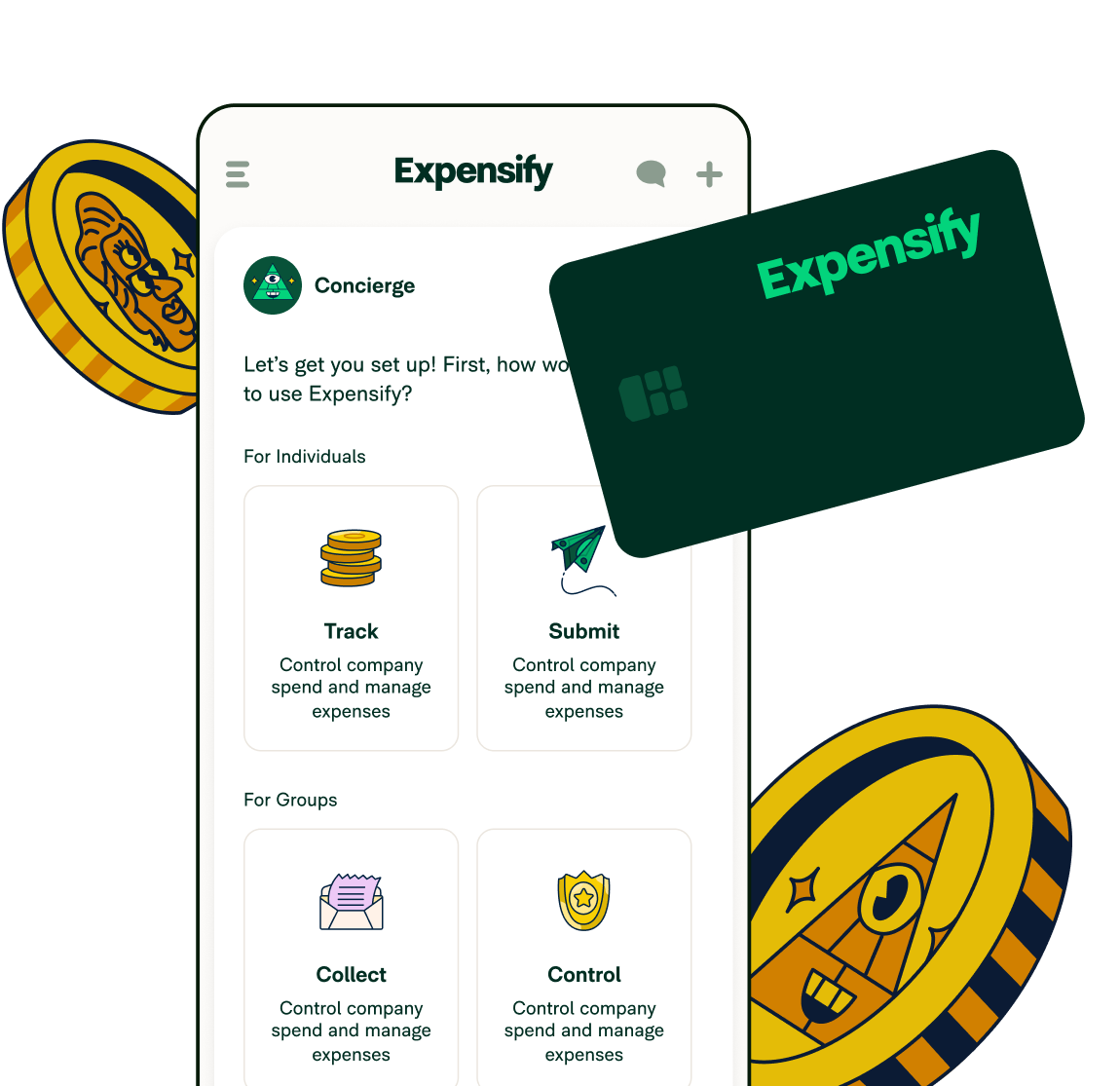
| Expensify | All-in-one travel and expense management | Chat-first ecosystem with an AI-powered Concierge, SmartScan receipt capture with batch upload capabilities, corporate travel booking and expense platform, automated categorization, Expensify Card, realtime syncing, global reimbursements, offline functionality, SAML log in, and more | Bring your own card (BYOC) with 10,000+ third-party banks worldwide + Expensify VisaⓇ Commercial Card (up to 2% cash back on eligible USD purchases) | Live chat, onboarding specialists, dedicated account managers | Starting at $5/month |
| Navan | Travel-heavy businesses | Integrated travel booking, expense reconciliation, policy enforcement, automated itinerary tracking | Navan corporate card + Navan Connect supports existing Visa, Mastercard, and AMEX corporate cards | Email support, limited phone support | Travel booking free; expense management free for first five users, then $15/user/month |
| Ramp | Startups focused on spend control | Corporate cards with built-in limits, realtime spend notifications, AI-powered insights, savings recommendations | Ramp card only (charge card and not a credit card; balances due monthly), no third-party integration | Chatbot support, limited human interaction | Free base plan; Ramp Plus at $15/user/month; Enterprise custom pricing |
| FreshBooks | Freelancers and service businesses | Invoice-focused expense tracking, time tracking, client billing integration | No corporate card program | Email support, knowledge base | Starting at $15/month (limited expense features) |
| Zoho Expense | Budget-conscious small businesses | Straightforward expense reporting, mobile app, Zoho ecosystem integration | No corporate card program | Email support, community forums | Free for up to 3 users, then starting at $4/user/month |
Expense management has become essential for business success, and expense reports no longer need to be manual, time-consuming processes with apps to track business expenses.
Top expense tracking apps for small businesses
The expense management industry offers solutions for every business size and need. Each platform brings unique strengths to the table, from receipt automation to travel integration.
Expensify: Best business expense tracker app overall
Expensify leads the pack as the fastest, easiest, and simplest way to manage business expenses. The platform excels at automating the entire expense workflow from receipt capture through reimbursement.
Key features:
Expensify Travel: Integrated travel booking and expense management that automatically creates expense reports when you book flights and hotels
SmartScan technology: AI extracts merchant, date, amount, and currency from receipts, reducing manual data entry and follow-ups
Bring your own corporate cards (BYOC): Import transactions from thousands of banks worldwide, including Visa, Mastercard, and Amex with no forced card adoption
Realtime syncing: Expensify VisaⓇ Commercial Card and your own corporate card transactions appear instantly, giving you immediate spending visibility
Proactive policy enforcement: Flags violations before submission, preventing compliance issues and reducing finance review time by 80%
Chat-based approvals and collaboration: Ask questions, resolve issues, and approve expenses directly on the expense or trip
Mobile approvals: Keep workflows moving while on-the-go with smartphone approvals from anywhere
Global reimbursements: Pay employees in multiple currencies from supported business bank accounts without manual conversion work
Realtime accounting sync: Export coded expenses and card transactions to QuickBooks, NetSuite, Xero, Sage Intacct, and more without CSV uploads
Enterprise-grade security: Bank-level encryption, role-based permissions, and SOC 2 Type II compliance protect financial data
Audit-ready by default: Built-in audit trails, required receipts, and exportable logs support tax and compliance reviews
Collect plan: Starting at $5/month for receipt scanning and basic reporting
Control plan: $9/month for policy enforcement and advanced features
Enterprise: Custom pricing for complex workflows and integrations
What real users are saying:
"Expensify has been a huge time-saver for me. The online platform is a breeze to use, and the mobile app is intuitive and makes uploading receipts easy—whether using the camera or pulling from the photo library. The button layout works really well even on a small phone screen, so it’s simple for anyone to use. Submitting expense reports is quick and painless, which has helped streamline the process and cut down on back-and-forth. Overall, it’s a reliable tool that does exactly what it promises." - Milton V. Verified Trustpilot Review
"I'm someone who is constantly on the move for work for attending conferences and client locations. So i use expensify very frequently. The smartscan feature is hands down my favorite. I can take a quick photo of a receipt while i'm heading out of a restaurant or airport gate and expensify takes care of the rest. what gets me even more excited is how effortless the whole process is. No spreadsheets, no hunting for lost receipts and no end of month stress. My report practically build themselves and approvals move fast." - Mohan P., IT industry Verified G2 Review
Best for: Businesses wanting comprehensive automation with minimal setup and a mobile-first approach versus others with web-dependent workflows.
Navan: Travel-focused expense platform
Navan combines corporate travel booking with expense management, though this travel-first approach can limit flexibility for businesses with diverse expense needs.
Key features:
Travel integration: Bookings connect directly to expense reports
Policy enforcement: Prevents out-of-policy spending at purchase
Realtime cost visibility: Track travel expenses as they happen
Best for: Companies prioritizing integrated travel booking over comprehensive expense automation
The trade-off: Travel-centric focus means less robust general expense management compared to full-featured platforms like Expensify.
Ramp: Best for spend visibility and controls
Ramp approaches expense management through its corporate card program, offering realtime spending insights and proactive controls.
Key features:
AI-powered insights: Identifies duplicate subscriptions and overpriced vendors
Built-in spending limits: Prevent overspending automatically
Realtime dashboard: Immediate cash flow and spending pattern visibility
Best for: Fast-growing startups focused on financial discipline
The trade-off: Requires exclusive use of Ramp's corporate card, which is a charge card, meaning balances are due in full monthly, thus affecting cash flow flexibility. Travel booking is available but less mature than dedicated travel platforms.
FreshBooks: Best for freelancers and micro-businesses
FreshBooks combines expense tracking with invoicing, ideal for service-based businesses that bill clients for project expenses.
Key features:
Invoice integration: Convert billable expenses to client invoices automatically
Cloud receipt storage: Access expenses from mobile or desktop
Time tracking: Capture all billable activities in one place
Best for: Service providers and project-based businesses
The trade-off: Less automation compared to dedicated expense platforms.
Zoho Expense: Best budget-friendly option
Zoho Expense provides solid expense management features at affordable pricing.
Key features:
Mobile apps: Handle expense submission on the go
Zoho integration: Unified business software ecosystem
Multi-currency support: International business operations
Best for: Budget-conscious businesses already using Zoho products
The trade-off: Advanced automation features lag behind specialized platforms.
Key features to look for in a business expense tracking app
The right features can transform expense management from a monthly headache into an automated process that runs seamlessly in the background.
Receipt capture and automation
What it does: Digital receipt scanning prevents lost paperwork and eliminates manual data entry
Why it matters: AI extraction of merchant names, amounts, and categories saves hours weekly while improving accuracy
Integration with accounting software
What it does: Seamless connections with QuickBooks, Xero, NetSuite, or Sage Intacct
Why it matters: Eliminates double data entry and reduces month-end closing time
Policy enforcement and approval workflows
What it does: Automated policy checks and customizable approval routing
Why it matters: Prevents non-compliant expenses while reducing finance team workload
Mobile-first design
What it does: On-the-go expense submission with offline capabilities
Why it matters: Essential for traveling employees and field teams
How using an expense tracking app benefits small businesses
Modern expense apps deliver measurable improvements across multiple business areas, from operational efficiency to financial control.
Saves time and reduces errors
The impact: About 75% of employees spend over 15 minutes filing each expense report, averaging more than an hour monthly on manual tasks that could be automated. Companies can save thousands monthly on processing costs by switching to automated expense management.
Why it matters: Employees focus on core work instead of administrative tasks
Improves financial visibility
The impact: The expense management software market is projected to grow from $7.64 billion in 2024 to $16.48 billion by 2032, driven by businesses seeking realtime spending insights and better cash flow management.
Why it matters: Better visibility enables informed resource allocation decisions during economic uncertainty.
Ensures compliance and audit readiness
The impact: Digital trails with proper documentation reduce audit stress.
Why it matters: Automated policy enforcement and centralized storage save time during tax season.
Want to see how Expensify is making a real impact? Check out our real users below:

“Everyone loves Expensify because it’s such an easy tool to use for capturing expenses and getting paid back. From our internal employees to our truck drivers on the ground, everyone loves how simple it is to capture their expenses and get reimbursed.” - Paul Baresh, Operations & Account Services VP at Turnkey
Which expense management app is best for startups?
For many startups, Expensify is a strong option because it’s easy to set up, automates key tasks like receipt capture and categorization, and reduces the need for manual expense reporting. It helps teams stay organized without adding operational overhead, which is key when the business is still in the startup phase.
Its balance of simplicity and ai concierge makes it particularly well-suited for early-stage companies that need to move quickly while keeping spend under control.
How we ranked the best expense tracking apps
Our evaluation considered multiple factors important to small business success:
Ease of use and mobile accessibility: Apps must work seamlessly across devices with intuitive interfaces that require minimal training.
Features and automation capabilities: Receipt capture, categorization, policy enforcement, and integration options determine platform value.
Customer feedback and ratings: G2, Trustpilot, and app store reviews from actual users provide insights into real-world performance.
Pricing and scalability: Solutions must offer transparent pricing that grows reasonably with business expansion.
Independent analysis using AI research tools: We used advanced research methods to verify claims and compare objective platform capabilities.
Choosing the right expense tracking app for your business
The best app for business expense tracking depends on your specific business needs, team size, and growth trajectory. Expensify offers the most comprehensive all-in-one solution with industry-leading automation and scaling capabilities.
Navan works well for travel-heavy businesses, while Ramp suits startups focused on spend control. FreshBooks integrates well with service-based billing, and Zoho Expense provides budget-friendly basic functionality.
Start by identifying your biggest expense management pain points. Do you lose receipts frequently? Need better travel expense control? Want realtime spending visibility?
Choose the best app for small business expense tracking that directly addresses your most pressing challenges while offering room to grow.
FAQs about the best business expense tracking apps
-
Focus on automated receipt capture, accounting software integration, policy enforcement, and mobile accessibility. The best apps eliminate manual data entry while providing realtime spending visibility and approval workflows.
-
Expensify consistently ranks as one of the best expense management platforms for small businesses because it combines automated receipt tracking, invoicing, corporate travel booking, and deep accounting integrations in a single system.
It scales from solo founders to growing teams without forcing businesses to switch tools as they grow.
-
Automated expense management saves time, reduces errors, and provides realtime financial visibility. Businesses typically see significant cost savings from reduced administrative work and better spending control.
-
Expensify's SmartScan technology leads the market in receipt capture and data extraction. The AI-powered system automatically reads receipt information and categorizes expenses with minimal manual intervention required.
-
Start by separating business and personal finances with dedicated business bank accounts and credit cards. Set up consistent recording habits – whether daily, weekly, or monthly – and stick to them.
Keep all receipts digitally using your phone camera, and establish spending limits for different categories. Most importantly, choose automated expense tracking software early to avoid developing bad manual habits that become harder to break as your business grows.
-
Yes, several platforms integrate travel booking with expense management. Expensify Travel provides comprehensive travel booking combined with industry-leading expense automation, offering the most complete solution for businesses that need both capabilities.
Navan also focuses heavily on travel integration, though their travel-first approach can limit broader expense management functionality compared to full-featured platforms like Expensify.
-
Yes. Expensify integrates directly with popular small business accounting platforms including QuickBooks, Xero, NetSuite, and Sage Intacct.
Expenses sync with categories, tax data, and custom fields intact, reducing manual reconciliation and eliminating double entry at month-end.
-
Any dedicated expense management app will outperform Excel spreadsheets. Expensify leads with comprehensive automation and SmartScan technology. For budget-conscious businesses, Zoho Expense offers solid features at low cost.
Service-based businesses should consider FreshBooks for its invoicing integration, while travel-heavy companies benefit from Navan's integrated platform. All these solutions eliminate the manual data entry, version control issues, and error-prone calculations that plague Excel-based tracking.
-
Expensify provides the most comprehensive solution for freelancers, offering superior SmartScan receipt technology, automated expense categorization, and seamless integrations with both Intuit QuickBooks and Sage accounting systems. The platform handles invoicing alongside industry-leading expense automation, making it ideal for freelancers who want one solution for everything.
FreshBooks offers strong invoicing features with basic expense tracking for freelancers focused primarily on client billing. Zoho Expense provides a budget-friendly option with solid accounting integrations, though it lacks the advanced automation features that make Expensify the top choice.
-
Expensify offers the Expensify Card with comprehensive virtual card capabilities, spending controls, and seamless integration with their expense automation platform. This provides the most complete solution for managing team expenses with virtual cards.
Ramp also specializes in corporate cards with built-in spending controls, though their platform requires exclusive use of their card program rather than offering flexibility with existing banking relationships.
-
Expensify excels in this area with SmartScan receipt technology, automated policy enforcement, and built-in compliance features including audit trails and role-based permissions. The platform handles both expense tracking and invoicing while maintaining SOC 2 Type II certification for enterprise security standards.
-
Start with IRS-approved categories like office supplies, travel, meals, and professional services to ensure tax deductibility. Most expense management apps like Expensify automatically suggest categories based on merchant data and transaction patterns.
Set up consistent subcategories that match your accounting system to streamline month-end reporting. Use automation rules to categorize recurring expenses like software subscriptions or office rent, and train your team on proper categorization to maintain consistency across all expense reports.
-
Expensify combines automated receipt tracking, expense management, and invoicing in one platform, making it a strong choice for small businesses that bill clients or manage reimbursable expenses. Receipts are captured automatically with SmartScan, expenses can be marked billable, and invoices are generated without manual re-entry.
FreshBooks is often used for invoicing-first workflows with basic expense tracking, while Zoho Expense provides a lower-cost option with simpler invoicing features. Expensify stands out for teams that want advanced automation alongside invoicing.
-
Expensify handles multi-client expense tracking and invoicing with automated categorization by project or client codes, plus SmartScan technology for effortless receipt management. The platform allows you to mark expenses as billable and convert them directly into client invoices with superior automation throughout the process.
FreshBooks offers client-based expense tracking with professional invoice templates, though it lacks the advanced automation features that make Expensify the preferred choice for efficient multi-client management.
-
The best business expense trackers combine automated receipt capture, realtime policy enforcement, and accounting integrations in one place.
Top options for small businesses include Expensify (best all-in-one), Navan (best for travel-heavy teams), Ramp (best for spend controls), FreshBooks (best for freelancers), and Zoho Expense (best budget-friendly option).
-
Truly free business expense tools tend to come with real trade-offs like limited features, data sharing practices, or a requirement to restructure your banking around their card program.
For most small businesses, Expensify's 30-day free trial is a better starting point than a free tool that creates more manual work than it saves.
After that, plans start at $5 per member per month.
-
The main ones to watch: weak encryption or missing SOC 2 compliance leaving financial data exposed, third-party integrations adding potential entry points for unauthorized access, and free apps that share spending data with advertisers or data brokers.
Choose a platform with bank-level encryption, role-based permissions, and a transparent privacy policy.
Expensify holds SOC 2 Type II certification and uses bank-level encryption across all user data.
-
The Collect plan is a flat $5 per member per month with no annual commitment required. That covers unlimited SmartScans, expense approvals, bill pay, invoicing, third-party card feeds, global reimbursements, QuickBooks and Xero sync, Expensify Travel, and Expensify Chat.
The Control plan, which adds advanced policy enforcement and approval workflows, is $9 per member per month.
New members get a 30-day free trial.
-
No. Most employees are up and running in minutes: SmartScan reads receipt details automatically, Concierge handles categorization and policy checks, and approvals route to the right people without any manual setup.
Admins configure everything through a self-serve console with no implementation consultant, and no months-long onboarding. Most teams are fully set up in days.
-
It depends on what they need. For accounting, common moves are to Xero, FreshBooks, or NetSuite, usually driven by price hikes, the discontinuation of QuickBooks Desktop, or simply outgrowing the software.
For expense management specifically, many businesses keep QuickBooks for accounting and add Expensify on top, since QuickBooks' built-in expense features are limited compared to a dedicated platform.
Expensify integrates directly with QuickBooks Online and Desktop, syncing coded expenses automatically without double entry.