


Expensify + QuickBooks integration
Say goodbye to disconnected expense management
If you’re a small business owner or accountant tired of hopping between platforms to get the financial insights you need, this integration is for you. Connect QuickBooks with Expensify to get greater visibility into your accounts and automate time-intensive tasks.

Key features

Bidirectional sync
Say goodbye to manual entry and hello to a realtime, two-way sync between QuickBooks and Expensify that ensures your data stays updated as you go.

Easy expense coding and auto-categorization
Automatically import your QuickBooks chart of accounts, classes, locations, customers/projects, taxes, and items into Expensify for easy coding and categorization.

Custom export options
Configure your out-of-pocket expenses to export to QuickBooks as checks, vendor bills, or journal entries – and company cards to export as debit cards, credit cards, or vendor bills.

100% vendor matching
Expensify auto-matches expense merchants to your QuickBooks vendors on export, allowing you to track spend per vendor and negotiate favorable terms.
How it works
Connecting Expensify to QuickBooks is done in just a few steps. Once connected, everything runs in the background:
-
Prepare your employee/vendor records
Make sure each employee/vendor in QuickBooks is set up using the same email address they use in Expensify, which keeps reporting and approval routing in sync.
-
Connect Expensify to QuickBooks
From your Expensify Workspace settings, enable the QuickBooks integration and sign in with your Intuit credentials to authorize the connection.
-
Start syncing your expenses
Expensify automatically imports your QuickBooks categories and accounting data, and begins syncing expense reports, card transactions, and reimbursements in realtime.
-
Category
Accounting
-
Plan to use
Collect
-
Resources
-
Website
Benefits
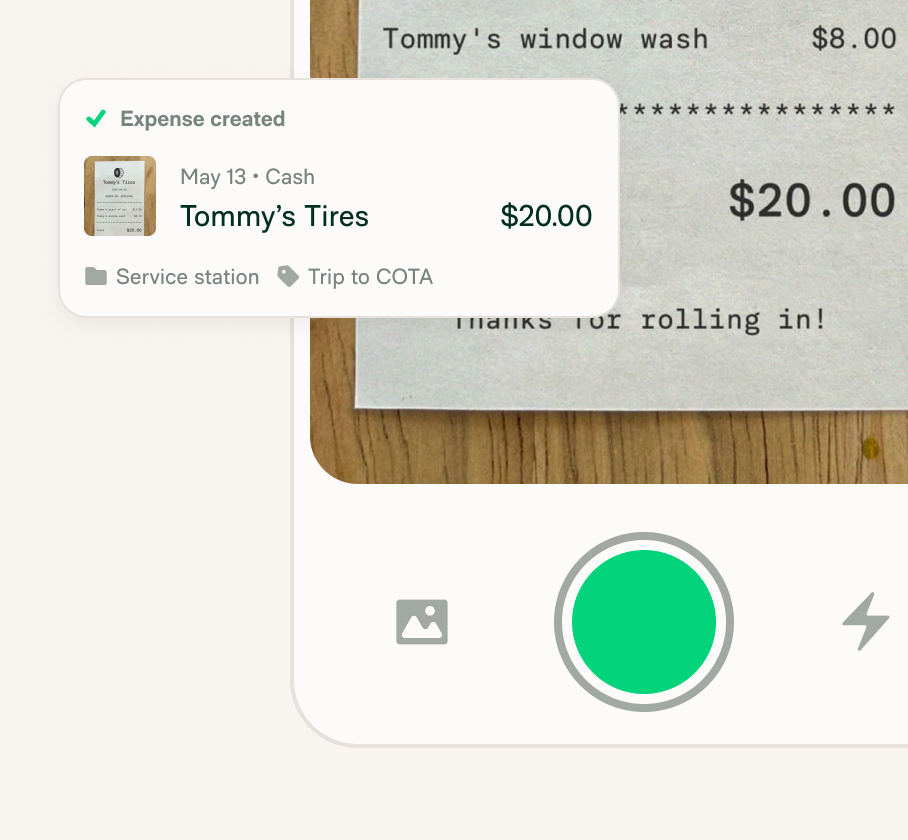
Reduced errors and admin work
Automated sync between Expensify and QuickBooks eliminates manual data entry and reduces the risk of mistakes – saving time for business owners, employees, and accountants alike.
Better visibility into spend and cash flow
With accurate, up-to-date expense data flowing into QuickBooks in realtime, finance teams and decision-makers gain instant transparency into company spending and cash flow trends.

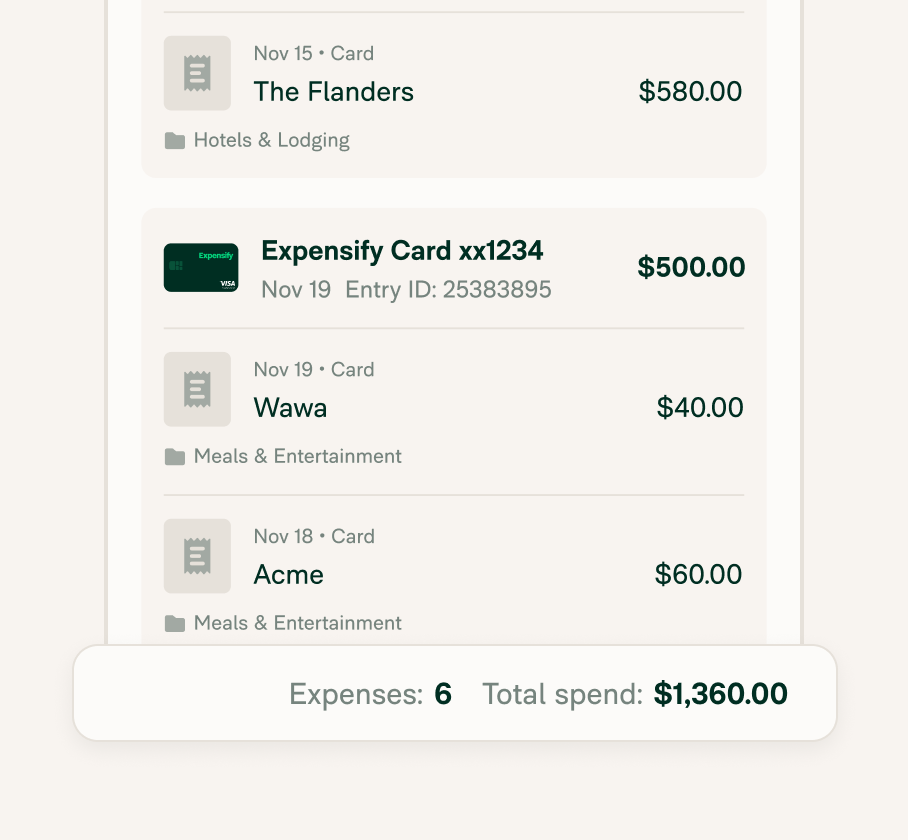
Simplified corporate card reconciliation
Expensify auto-matches receipts to card transactions and syncs them to QuickBooks, making it easy to track and reconcile spend, no matter what card you use.
FAQs
-
Yes! Expensify integrates seamlessly with QuickBooks Online. Once connected, it automatically syncs your expense reports, receipts, and corporate card transactions, giving you a realtime, accurate view of your company’s spend directly inside QuickBooks. This eliminates manual data entry and helps streamline your monthly close process.
-
After connecting your Expensify Workspace to QuickBooks, approved expenses flow into QuickBooks automatically. You can customize how each type of expense exports – for example: as checks, vendor bills, journal entries, or credit card transactions.
You also have control over how reimbursable expenses and company card spend are categorized in your chart of accounts.
-
Yes. Expensify automatically attaches scanned receipts to the corresponding transactions when they’re exported to QuickBooks. This makes it easy to maintain clean records for tax season, audits, or financial reviews, all without having to manually upload or match files in QuickBooks.
-
Expensify and QuickBooks serve different purposes. QuickBooks is an accounting platform built for managing your company’s full financials. Expensify focuses on expense management, streamlining receipt capture, approvals, reimbursements, and syncing to tools like QuickBooks. Together, they provide a complete solution for tracking and managing business finances.
-
Expensify no longer offers a free plan, though they do offer a free trial. All users must be on a paid subscription to access core features like receipt scanning, expense tracking, and integrations. Business users can choose between Collect or Control plans depending on their automation and approval needs.
-
Yes. QuickBooks Online is a popular choice for small businesses because it offers flexible features like invoicing, expense tracking, bank reconciliation, and reporting, all in a simple, cloud-based platform. It’s scalable for startups and freelancers as well as growing teams
-
Yes, Expensify works well for tracking personal expenses, scanning receipts, and organizing spending in one place. It’s a great fit for freelancers, solopreneurs, and anyone who wants a simple way to manage their finances without a full accounting platform.
-
Expensify is consistently ranked among the top expense tracking apps thanks to its SmartScan technology, mobile-friendly design, and seamless syncing with accounting tools like QuickBooks. It’s a trusted solution for individuals and businesses alike.
QuickBooks is a trademark of Intuit Inc. or its affiliates. This information was prepared by Expensify and is solely the responsibility of Expensify. Intuit Inc. does not control or guarantee the accuracy of any content provided by Expensify.
Try Expensify today
See how much time you can save by integrating Expensify with QuickBooks. From onboarding to expense reporting to reimbursement, everything just works faster, smarter, and easier.
Start your free trial
Other integrations




Features
Resources

Get Started


