


Expensify + Sage integration
The Sage Intacct integration that sends every expense to the GL already coded
Expensify's direct integration with Sage Intacct brings dimension-level coding, entity-by-entity exports, and reimbursements that reconcile on their own. Your finance team stops rekeying approved reports into the GL at every close.

Key features

Sage Intacct Dimensions, built in
Integrate with Sage Intacct's core dimensions, including classes, departments, and projects, plus user-defined dimensions (UDDs) for a truly tailored experience.

Corporate card support
Export options for your team's corporate cards and any other spend type, streamlined reporting of non-reimbursable expenses, and instant insights into company spending.

Next-day ACH reimbursement
After reports are approved, employees get their money back the very next day, and all data, including reimbursements, are synced automatically.

Native VAT and GST
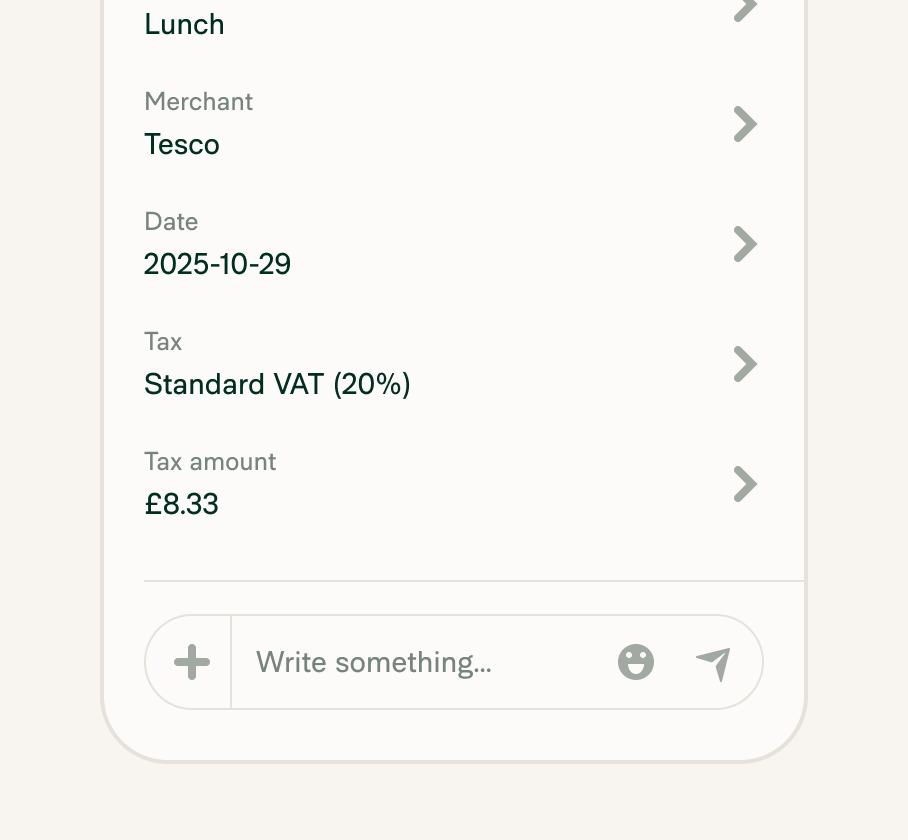
Expensify imports your Sage Intacct VAT and GST rates and applies a default rate by category. Tax gets tracked on the expense instead of fixed after export.
How it works
Connecting Expensify to Sage Intacct takes three steps and an admin on each side. Once it's live, dimensions and employees refresh from Sage Intacct daily, and approved reports export on their own.
-
Prepare Sage Intacct
Create a Web Services user (user-based or role-based), enable required permissions, and activate modules like Time & Expenses and Customization Services.
-
Upload the Expensify package
Download the Expensify integration package from your Workspace and import it into Sage Intacct to establish the backend connection.
-
Connect and choose your settings
Enter your credentials in Expensify to finalize the connection. Then choose how expenses export (as reports or vendor bills) and sync custom dimensions from Intacct automatically.
-
Category
Accounting
-
Plan to use
Control
-
Resources
-
Website
Benefits

Simple synchronization
Seamlessly sync your expense reports with Expensify’s Sage Intacct integration, ensuring efficient back-office operations.
Precision in expense categorization
Expenses are automatically coded according to your Sage Intacct Dimensions, providing accuracy in every financial entry.

Native tax tracking
Expensify pulls your VAT and GST tax codes from each Sage Intacct entity and applies them automatically.
FAQs
-
Sage Intacct is a cloud-based financial management platform that automates core accounting processes, reduces reliance on spreadsheets, and gives finance teams realtime visibility into business performance.
-
Sage Accounting serves small businesses with cloud-based accounting tools. Sage Intacct offers a broader set of financial management capabilities for larger companies running more complex accounting process
-
Yes. Expensify is listed as a direct integration in the Expense Management & Travel category of the Sage Intacct Marketplace, approved for the US and the UK.
-
Yes. If you run a multi-entity setup in Sage Intacct, you can connect each Expensify workspace to a specific entity or to the top level.
-
Yes. Departments, locations, classes, projects, customers, and user-defined dimensions import from Sage Intacct into Expensify. Employees tag each expense with the right dimensions, so reporting in Sage Intacct stays accurate.
-
Yes. Expensify's Sage Intacct integration supports native VAT and GST. Turn on Tax in the integration settings and Expensify imports your tax rates from Sage Intacct.
Sage Intacct is a trademark of Sage Group plc or its affiliates. This information was prepared by Expensify and is solely the responsibility of Expensify. Sage Group plc does not control or guarantee the accuracy of any content provided by Expensify.
Try Expensify today
See how much time you can save by integrating Expensify with Sage. From onboarding to expense reporting to reimbursement, everything just works faster, smarter, and easier.
Start your free trial
Other integrations



Features
Resources

Get Started


